AI Insight — Documentation Hub
AI Insight is an internal portal designed for CGI teams to monitor and control the cost of AI tool consumption across the organisation. It consolidates usage data from providers such as GitHub Copilot, OpenAI, and AWS KIRO into a single, role-based interface.
The platform serves three types of stakeholders:
- Individuals — view their own monthly AI credit consumption and estimated costs.
- Managers and project owners — track usage across their teams or projects, set budget thresholds, and receive alerts before costs exceed expectations.
- Administrators — import usage data from providers, manage the user hierarchy, configure cost rates, and assign roles.
Access to each section of the portal is role-based: the navigation bar only shows what a given user is authorised to see. There are no manual permission requests — access is either granted through role assignment or delegated directly by a manager.
Supported providers
The table below lists the AI providers currently integrated in AI Insight. Usage data is available for active licences. Providers marked Coming soon are being onboarded and will appear automatically once integration is complete.
| Provider | Status | Notes | |
|---|---|---|---|
| ChatGPT Enterprise OpenAI |
Active | Monthly credit consumption and PAYG billing available for all licensed users. | |
| GitHub Copilot GitHub / Microsoft |
Active | Seat-based licence tracking and usage data per user. | |

|
KIRO Amazon Web Services |
Active | Credit usage synchronized automatically from KIRO user activity reports. |
| LibreChat BU AURA only |
Active | Available exclusively for the AURA business unit. Usage data imported from the internal LibreChat deployment. | |
| Claude Anthropic |
Coming soon | Integration in progress. | |
| Gemini |
Coming soon | Integration in progress. | |
| M365 Copilot Microsoft |
Coming soon | Integration in progress. |
Interface overview
AI Insight is organised into distinct zones and screens. The table below describes each area and who can access it.
| Area | Zone | What it contains | Who can access it |
|---|---|---|---|
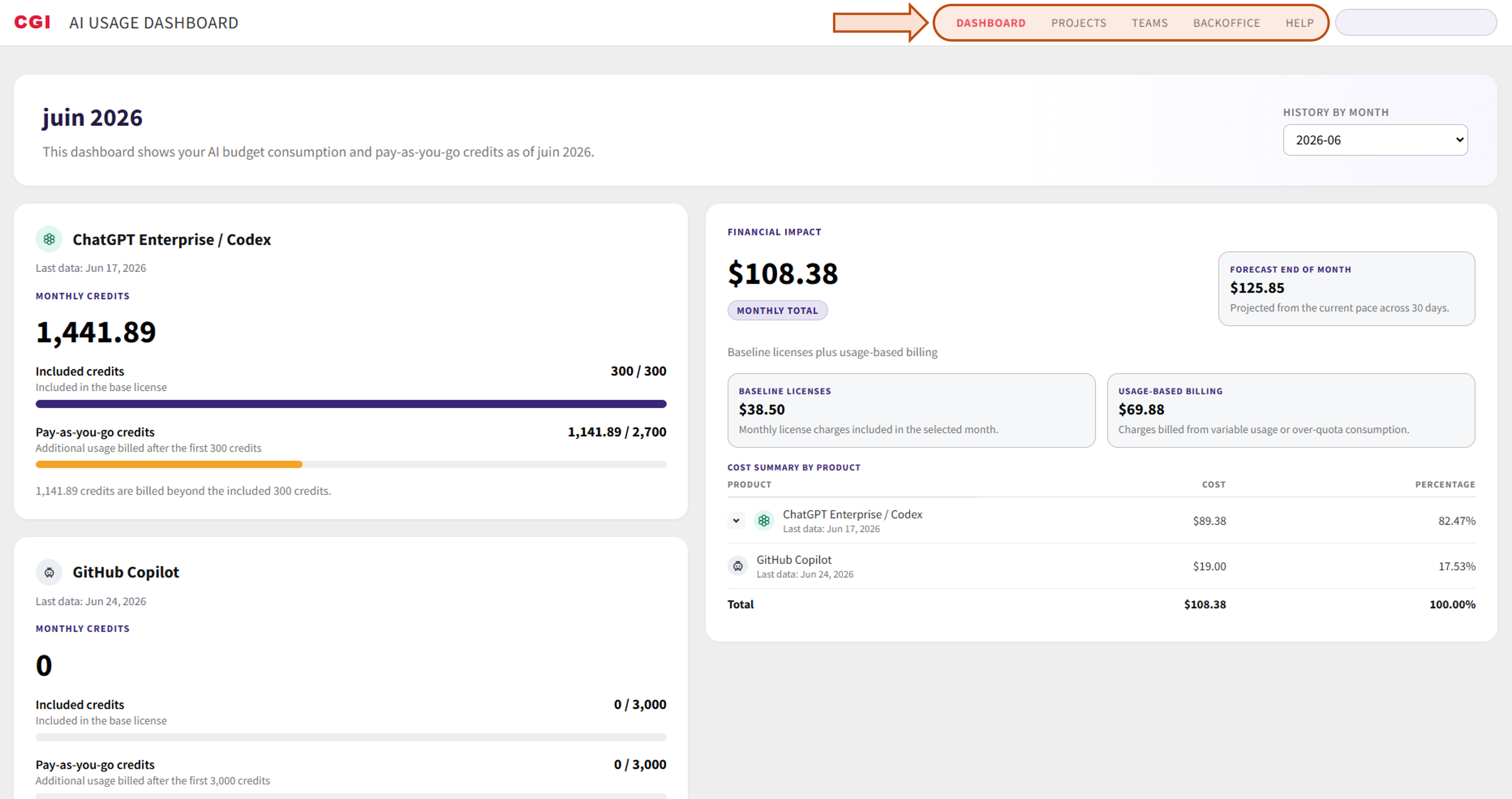
| Navigation bar | Top of every page | Links to Dashboard, Teams, Projects, and Backoffice. Only the sections the signed-in user can access are displayed — others are hidden entirely. | All authenticated users (links vary by role) |
| Dashboard | Main area #/dashboard |
Personal AI usage summary: monthly credit consumption, estimated cost, provider breakdown, and day-by-day detail view. Driven by a month selector. | All authenticated users |
| Teams | Main area #/teams |
Organisational team hierarchy. Lets Team Managers view and edit owned branches, manage direct members, configure delegated access grants, and set usage alert thresholds. | Team Managers, Team Collaborators, Admins |
| Projects | Main area #/projects |
Project list and detail view. Shows customer name, owner, member list, provider quotas, financial impact by month, and threshold notification rules. | Project owners, project members, delegated project users, Project Administrators, Admins |
| Backoffice | Admin area #/backoffice |
Administrative back-end reserved for System Administrators. Covers four sub-sections: Uploads — import usage CSV files from AI providers and review import results; Users & Roles — refresh the authorised-user hierarchy snapshot and assign application roles; Financial Settings — configure model cost rates and included monthly credits per provider; Custom Providers — define additional AI providers beyond the built-in ones (Copilot, OpenAI), including name, logo, and usage data. | System Administrators only |
Choisissez votre guide
Sélectionnez la carte qui correspond à votre situation pour accéder directement au guide de votre profil.